
SQL & transformations
Use the right tool for each transformation.
Write SQL, prepare data with visual steps or use Python for custom logic. Every result becomes a connected dataset on the same canvas, so the next person can follow how it was made.
- SQL autocomplete & preview
- Visual joins & actions
- Python scripts
The workflow
SQL & pipeline development, step by step.
-
Start with the upstream data
Select the dataset you want to transform. Choose SQL Query, a visual transform such as Merge or Union, or Use Script for Python logic.
-
Develop and inspect the result
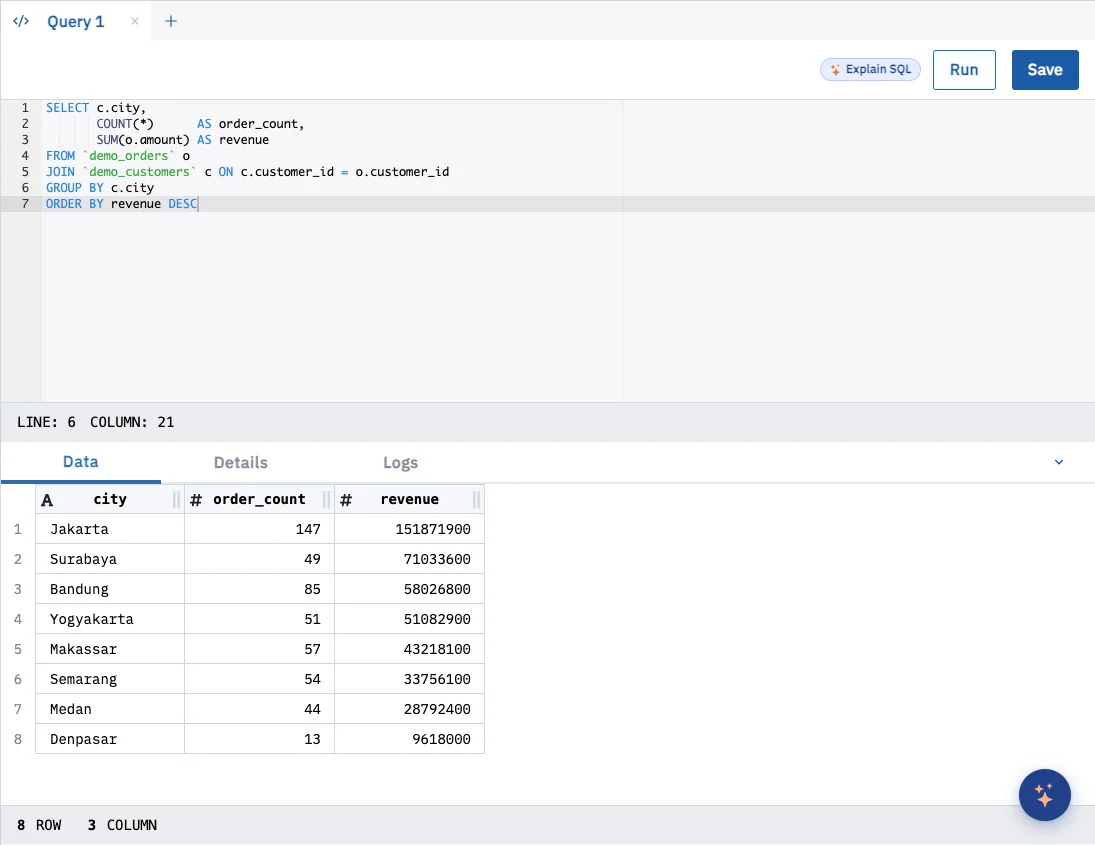
Use SQL autocomplete and the node list to write a query. Run it as a preview, check the rows and details, and use Explain SQL when AI Assistant is configured.
-
Save it into the pipeline
Save the query as a new node once the preview matches your intent. Use that dataset in later transformations, charts or transfers, with its dependencies visible in lineage.
Capabilities
What makes the workflow work.
-
SQL with feedback before saving
Autocomplete, query history and result previews support development. A saved SQL Query node becomes a dataset the rest of the pipeline can use.
-
Visual transformations
Merge, Union and Identity Matching work alongside actions for filtering, sorting, grouping, aggregating and preparing columns without writing every step in SQL.
-
AI-assisted SQL review
Explain a query or review the downstream impact of a proposed SQL change with the Assistant. AI requires a configured model and enabled features; check the proposal before approval.
-
Python for custom logic
Use Script nodes process upstream data with Python when your transformation needs custom logic beyond visual steps or SQL.
From overview to practice
Explore SQL & pipeline development in the guide.
See how to select upstream nodes, write SQL, inspect preview results and save a query as a pipeline node. Follow the linked transform guide for visual steps and Python.
Open the SQL & pipeline development guideConnected capabilities
Keep the work moving.
FAQ
A few things worth knowing.
- Do I need SQL for every step?
- No. Visual transforms and actions cover joins, unions, filtering, sorting and aggregations. SQL and Python are available when a step calls for code.
- Can I preview a query before saving a node?
- Yes. Run in the SQL editor provides a result preview with Data, Details and Logs before you save the query as a pipeline node.
- Can AI draft a pipeline query?
- When AI Assistant is enabled and a model is connected, you can ask it to propose SQL or a pipeline plan. Inspect the query, previews and downstream impact before approving any change.